Market Settings and Domain Redirection allow you to control which domain customers are redirected to based on their market. This helps ensure visitors land on the correct version of your store for their region.
You can choose to follow Shopify’s native domain configuration or define custom redirect URLs using Geolocation – GLC.
What This Feature Does
Market Settings determine how customers from different countries or regions are routed when they visit your store.
With Domain Redirection, you can:
Redirect customers to the correct regional domain
Ensure consistency between market, language, and pricing
Prevent customers from landing on the wrong storefront
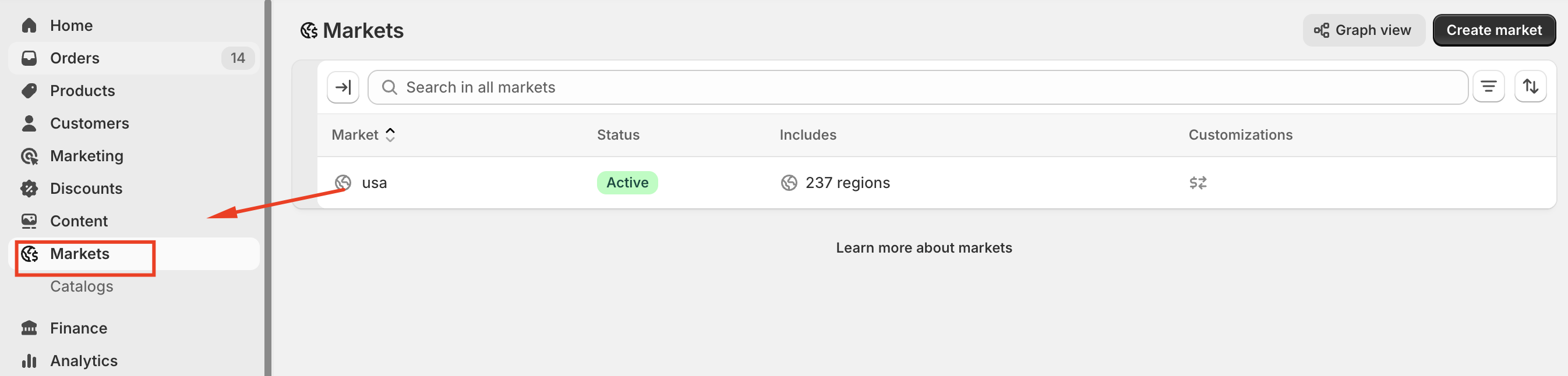
Access Market Settings
To access Market Settings:
Go to Geolocation.
Select the Market settings tab.
Choose a market and click Manage domains.
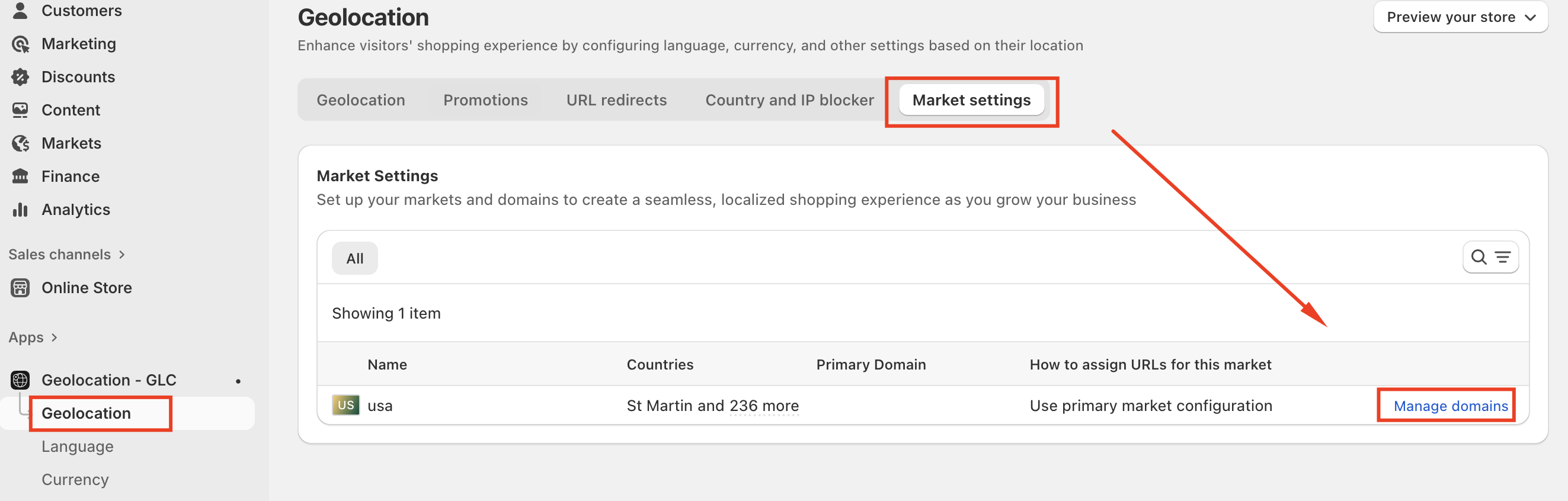
Manage Domains for a Market
Each market can be assigned a domain or URL. This determines where customers from that market are redirected.
In Manage domains, select how domains should be handled for the chosen market.
Domain Configuration Options
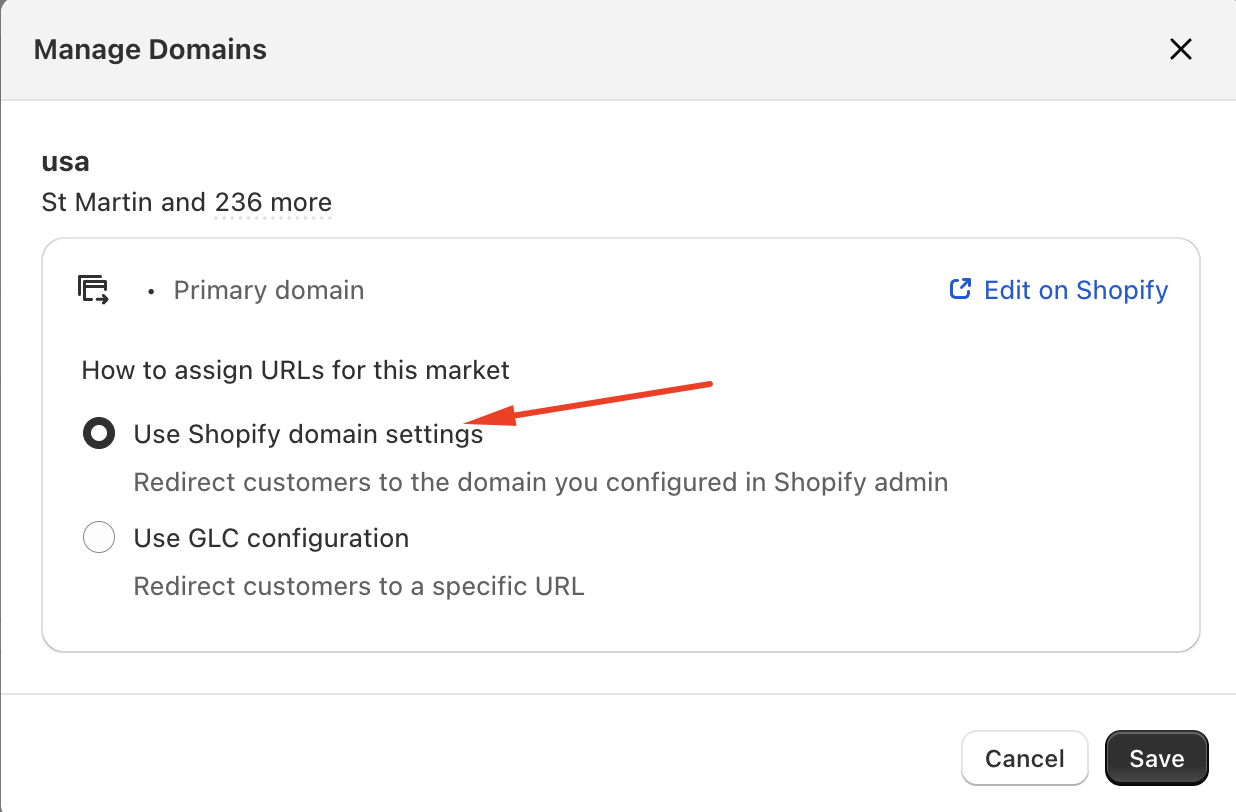
Use Shopify Domain Settings
When selected:
Domain redirection follows the configuration set in Shopify Markets.
No custom URL is required in Geolocation – GLC.
Changes must be managed directly in Shopify.
Recommended if:
You manage domains and markets entirely through Shopify.
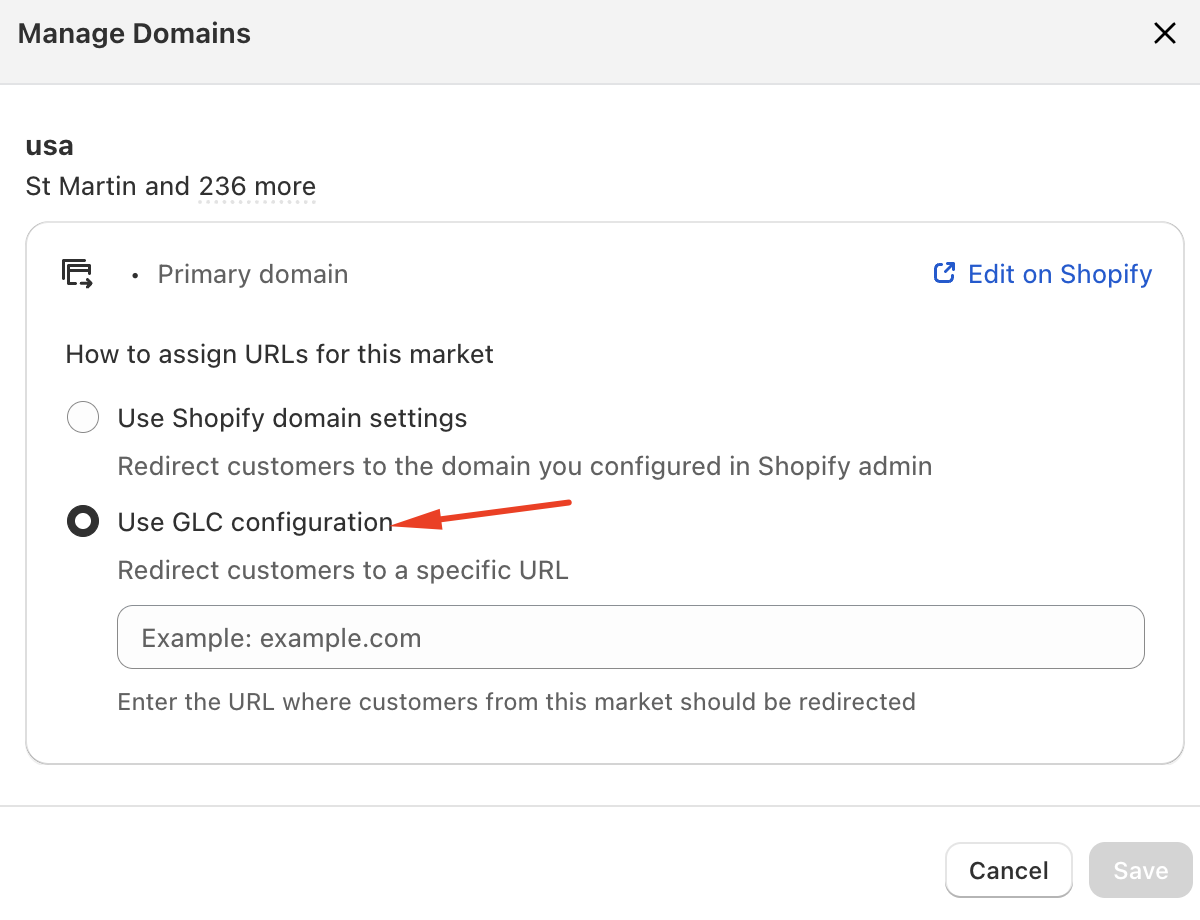
Use GLC Configuration
When selected:
You can manually enter a custom URL for the market.
Customers from this market are redirected to the specified URL.
This overrides Shopify’s default domain behavior for the selected market.
Use this option if you want to:
Redirect customers to a country-specific domain
Send visitors to a regional landing page
Redirect traffic to an external website
Save Your Settings
After choosing a configuration option:
Enter a valid URL if using GLC configuration.
Click Save.
The redirection rules apply immediately for customers in the selected market.
Important Notes
Make sure the destination URL is active and accessible.
Avoid redirect loops by not pointing a market back to the same domain.
Domain changes apply only to the selected market.
Test your configuration using a VPN or location simulation tool.
Conclusion
Market Settings and Domain Redirection help ensure customers are always directed to the correct domain for their market. By configuring domains at the market level, you can improve localization accuracy, reduce customer confusion, and maintain a consistent shopping experience across regions. Regularly reviewing these settings helps ensure your store continues to route visitors correctly as your business grows.
If you need further guidance or have any questions, don't hesitate to reach out to our support team through email us at support@gelacy.app
Was this article helpful?
That’s Great!
Thank you for your feedback
Sorry! We couldn't be helpful
Thank you for your feedback
Feedback sent
We appreciate your effort and will try to fix the article