If you cannot see a specific language in your storefront’s language selector, it may not be fully added or published in GLC or Shopify Markets. Follow the steps below to ensure everything is set up correctly.
I. Add and Publish the Language in GLC
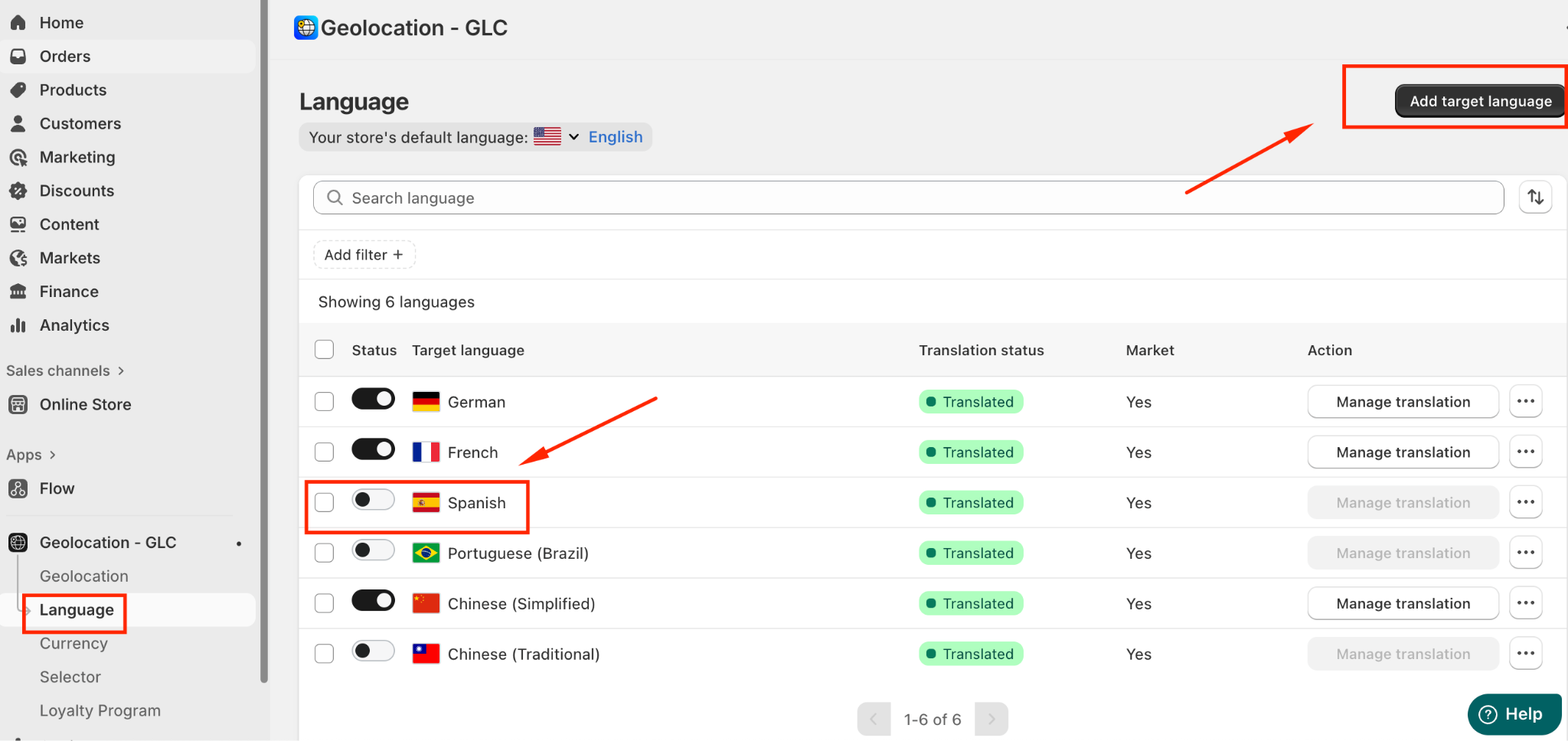
Navigate to the "Language" menu in the GLC dashboard.
Click "Add languages" to ensure the language you need has been added to GLC.
Toggle the language to publish it, making it available for use in your store.
II. Add the Language to Your Shopify Market
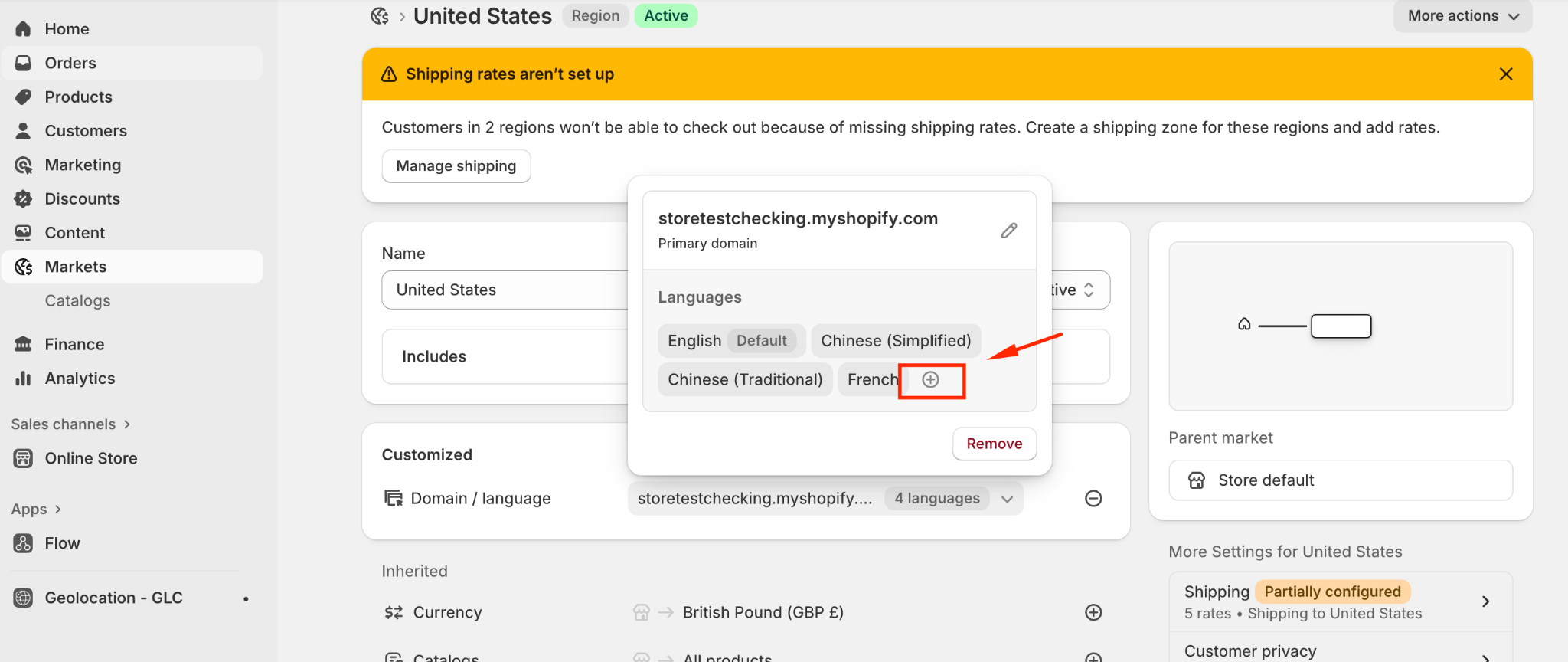
Go to the "Markets" menu in your Shopify admin.
Select the specific market or domain where you want the language to appear.
Click the "+" button to add languages.
Select "Add more languages" and include the target language for that market/domain.
If you need further guidance or have any questions, don't hesitate to reach out to our support team through email us at support@gelacy.app
Was this article helpful?
That’s Great!
Thank you for your feedback
Sorry! We couldn't be helpful
Thank you for your feedback
Feedback sent
We appreciate your effort and will try to fix the article