If you can't see the language on the Selector, please follow these steps:
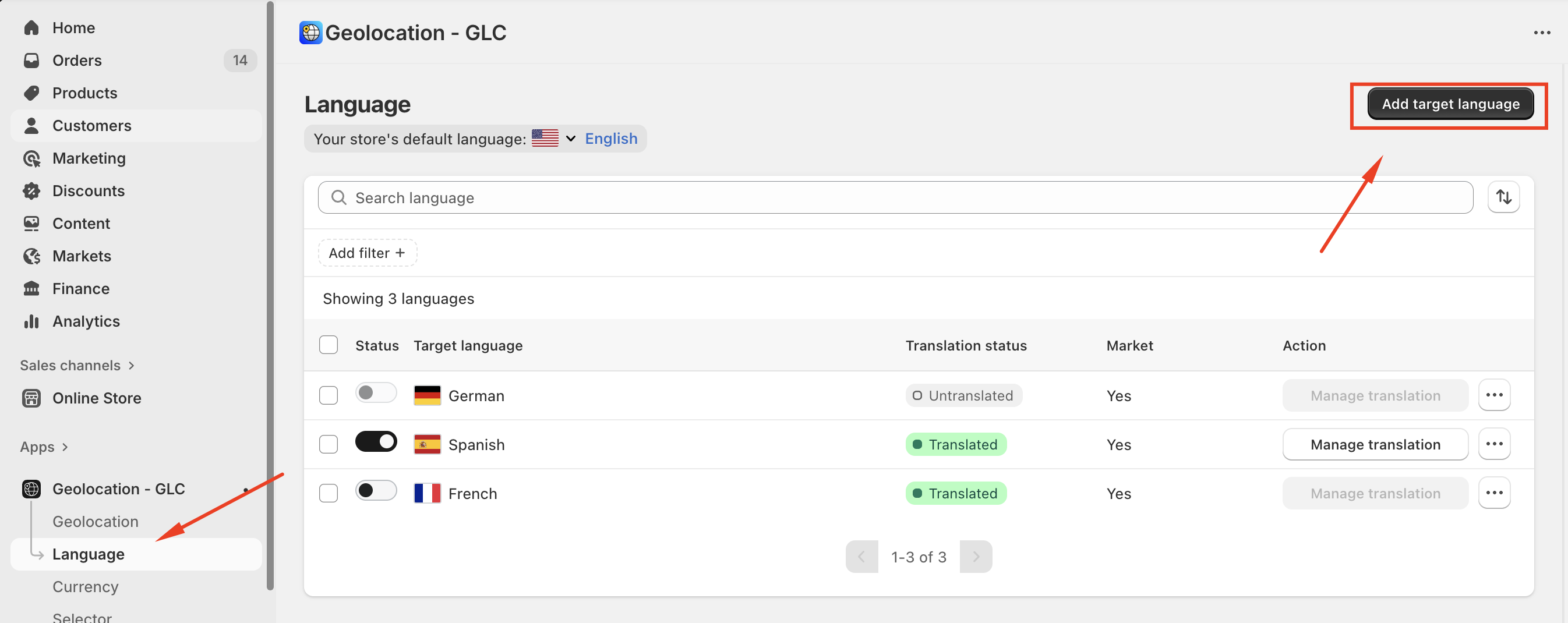
- Add and Publish the Language in Gelacy
→ Please go to "Language menu in Gelacy
→ Press "Add languages" first to make sure the language you're looking for was added to Gelacy
→ Toggle to publish the language
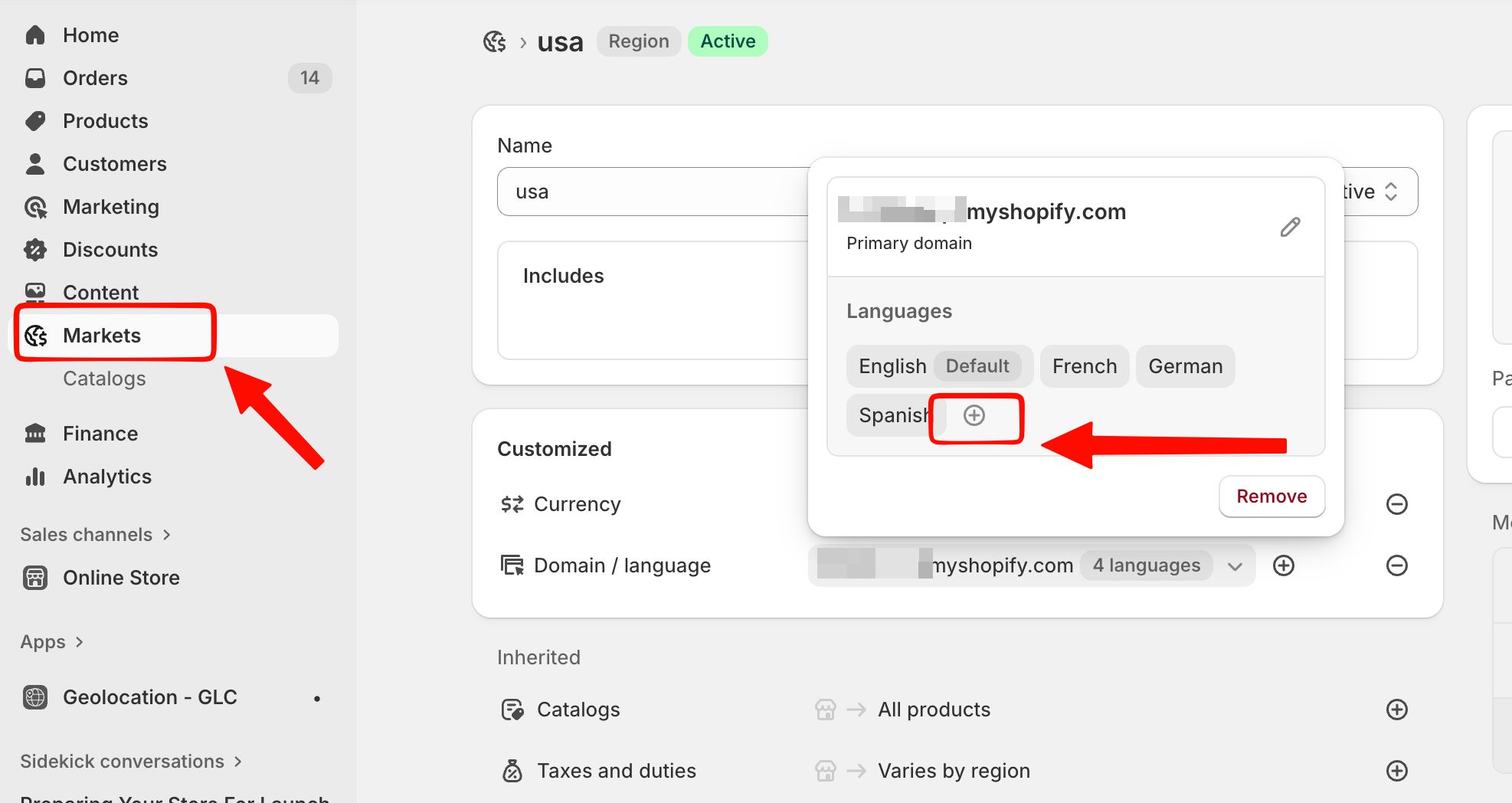
- Add the language to the Market
→ Please go to "Market" menu
→ Choose the market/domain you want to check
→ Click on "+" button to add languages
→ Click "Add more languages" to add your target languages to your market/domain
Please note: If multiple markets share the same domain setting as the Primary market/domain, any language you add to one market will automatically be added to all other markets using that domain.
Should you need further support, please feel free to email us at support@gelacy.app
Was this article helpful?
That’s Great!
Thank you for your feedback
Sorry! We couldn't be helpful
Thank you for your feedback
Feedback sent
We appreciate your effort and will try to fix the article