The URL Redirects feature in Geolocation – GLC helps automatically handle 404 (page not found) errors by redirecting visitors to relevant pages instead of showing an error. This improves user experience, reduces bounce rates, and protects SEO performance.
Accessing URL Redirects
To configure URL redirects:
Go to Geolocation from the left menu.
Click the URL redirects tab.
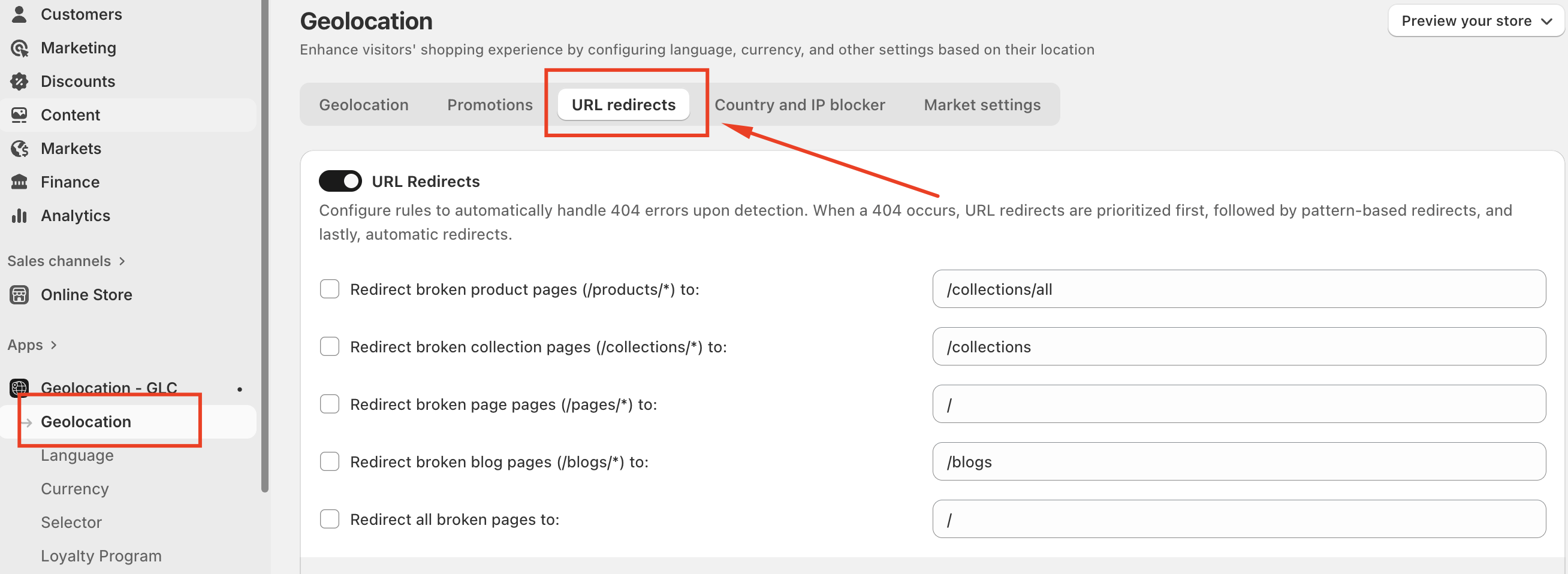
Enable URL Redirects
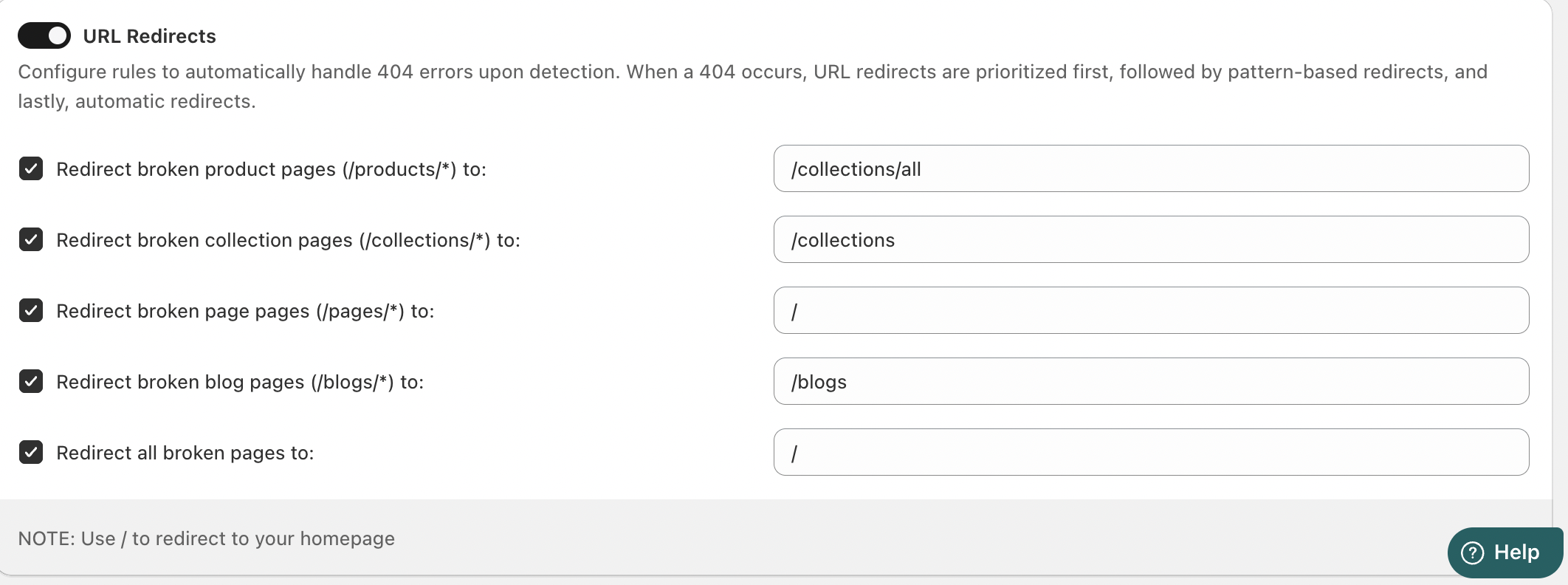
Use the URL Redirects toggle to activate or disable the redirect rules.
When enabled, the system prioritizes redirects in the following order:
Manual URL redirects
Pattern-based redirects
Automatic redirects
Redirect Rules
You can define redirect destinations for different types of broken pages:
Broken Product Pages
Applies to URLs under
/products/*.Example redirect:
/collections/allHelps guide customers to available products when an item is no longer accessible.
Broken Collection Pages
Applies to
/collections/*URLs.Common redirect:
/collectionsUseful when collections are removed or renamed.
Broken Pages
Applies to
/pages/*URLs.Often redirected to the homepage (
/).
Broken Blog Pages
Applies to
/blogs/*URLs.Can redirect to
/blogsto keep visitors engaged with content.
Redirect All Broken Pages
Redirects any unmatched broken URL to a single destination.
Commonly set to the homepage (
/).
Conclusion
URL Redirects in Geolocation – GLC ensure visitors never hit a dead end. By automatically guiding users to relevant pages, you maintain a seamless shopping experience while protecting conversions and SEO performance.
If you need further guidance or have any questions, don't hesitate to reach out to our support team through email us at support@gelacy.app
Was this article helpful?
That’s Great!
Thank you for your feedback
Sorry! We couldn't be helpful
Thank you for your feedback
Feedback sent
We appreciate your effort and will try to fix the article