The Geolocation feature in GLC helps tailor the shopping experience based on a visitor’s location. By detecting a customer’s region, you can recommend or automatically apply the most relevant language and currency, improving usability and localization accuracy.
This article explains how Geolocation works and how to configure its settings.
Accessing Geolocation Settings
To access Geolocation settings:
Open Geolocation from the app’s left-hand menu.
Make sure the Geolocation toggle is enabled.
When enabled, GLC uses visitor location data to determine how localization is handled on your storefront.
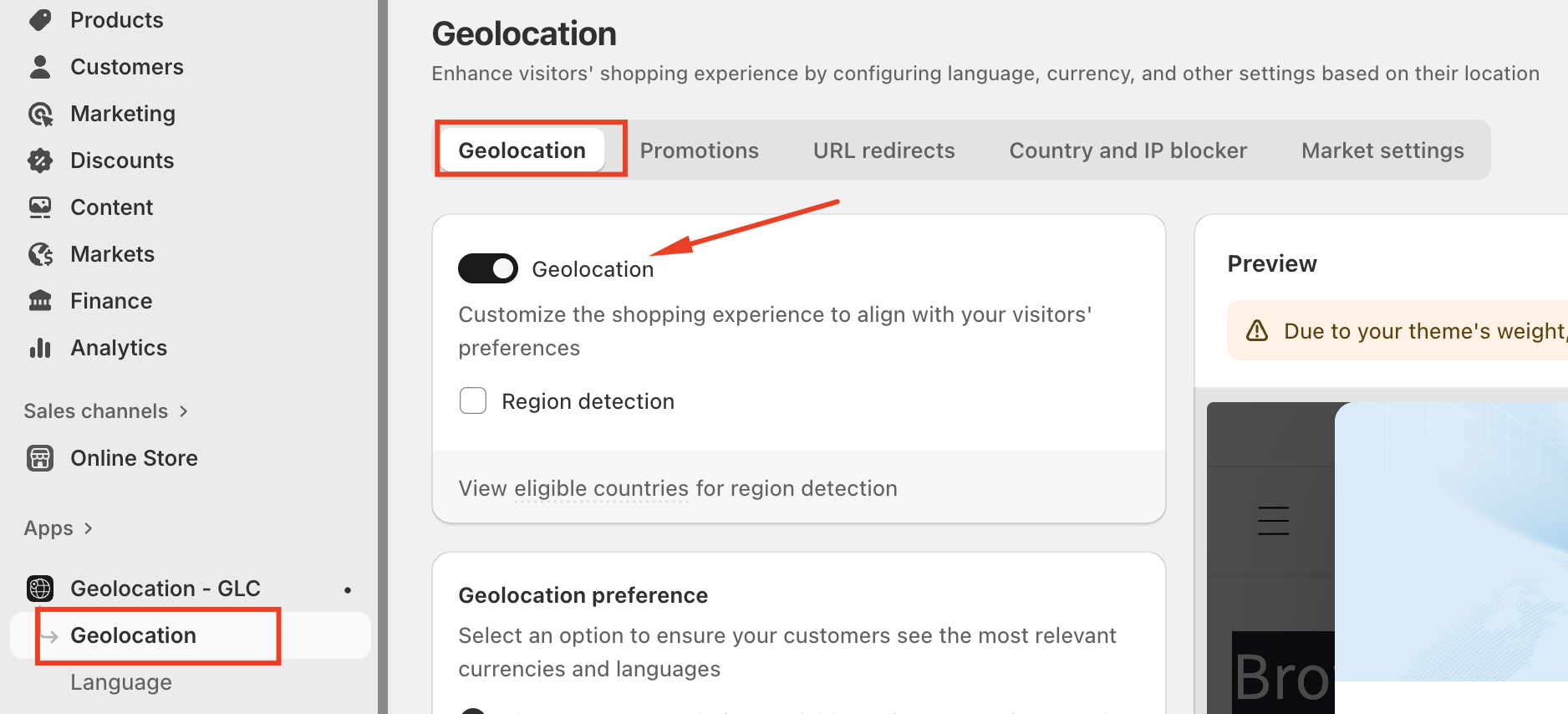
Enable or Disable Geolocation
The Geolocation toggle controls whether location-based behavior is active.
Enabled: Visitors receive localization recommendations or automatic changes based on their location.
Disabled: No location-based behavior is applied.
You can turn this off temporarily if you want to pause geolocation logic without changing other settings.
Geolocation Preference
The Geolocation preference setting determines how localization is applied when a visitor’s detected region differs from the current storefront settings.
You can choose between two options:
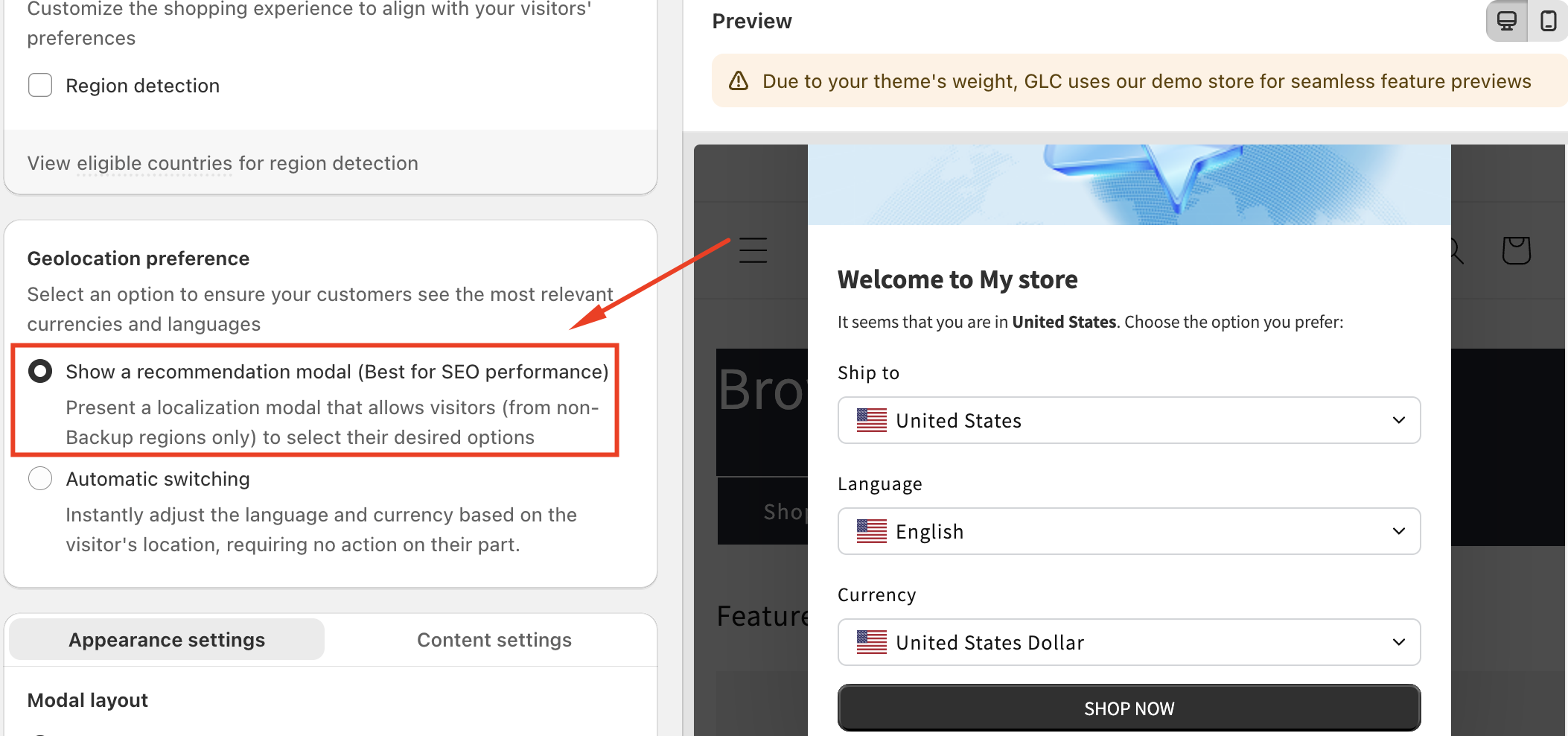
1. Show a Recommendation Modal (Best for SEO Performance)
When selected:
Visitors see a localization recommendation modal.
The modal suggests the appropriate language and currency based on their location.
Customers must confirm before any changes are applied.
This option is only shown to visitors from non-backup regions.
Recommended if:
You want to preserve SEO structure
You want users to control their experience
You prefer a non-intrusive approach
2. Automatic Switching
When selected:
Language and currency are automatically updated based on the visitor’s location.
No user action is required.
Changes happen instantly when the visitor lands on your store.
Recommended if:
You want a fully automated localization experience
Your markets and currencies are already well configured
You want minimal friction for international customers
Conclusion
Geolocation settings in Geolocation – GLC help ensure customers see the most relevant language and currency based on where they are browsing from. By choosing between recommendation-based or automatic localization, you can balance user control, SEO performance, and convenience. Proper configuration of Geolocation improves international usability and creates a smoother shopping experience for global visitors.
If you need further guidance or have any questions, don't hesitate to reach out to our support team through email us at support@gelacy.app
Was this article helpful?
That’s Great!
Thank you for your feedback
Sorry! We couldn't be helpful
Thank you for your feedback
Feedback sent
We appreciate your effort and will try to fix the article