Transform your store's language and currency selection experience with Gelacy's highly customizable Selector. This powerful tool allows you to seamlessly integrate multilingual and multi-currency capabilities that perfectly match your store's design. With Gelacy's intuitive customization options, you can create a cohesive shopping experience that elevates your brand and enhances customer satisfaction.
How to Customize Selector
Access "Selector settings" menu in Gelacy → "Customization" → Select the relevant elements, including Position, Advanced Customization, and Content
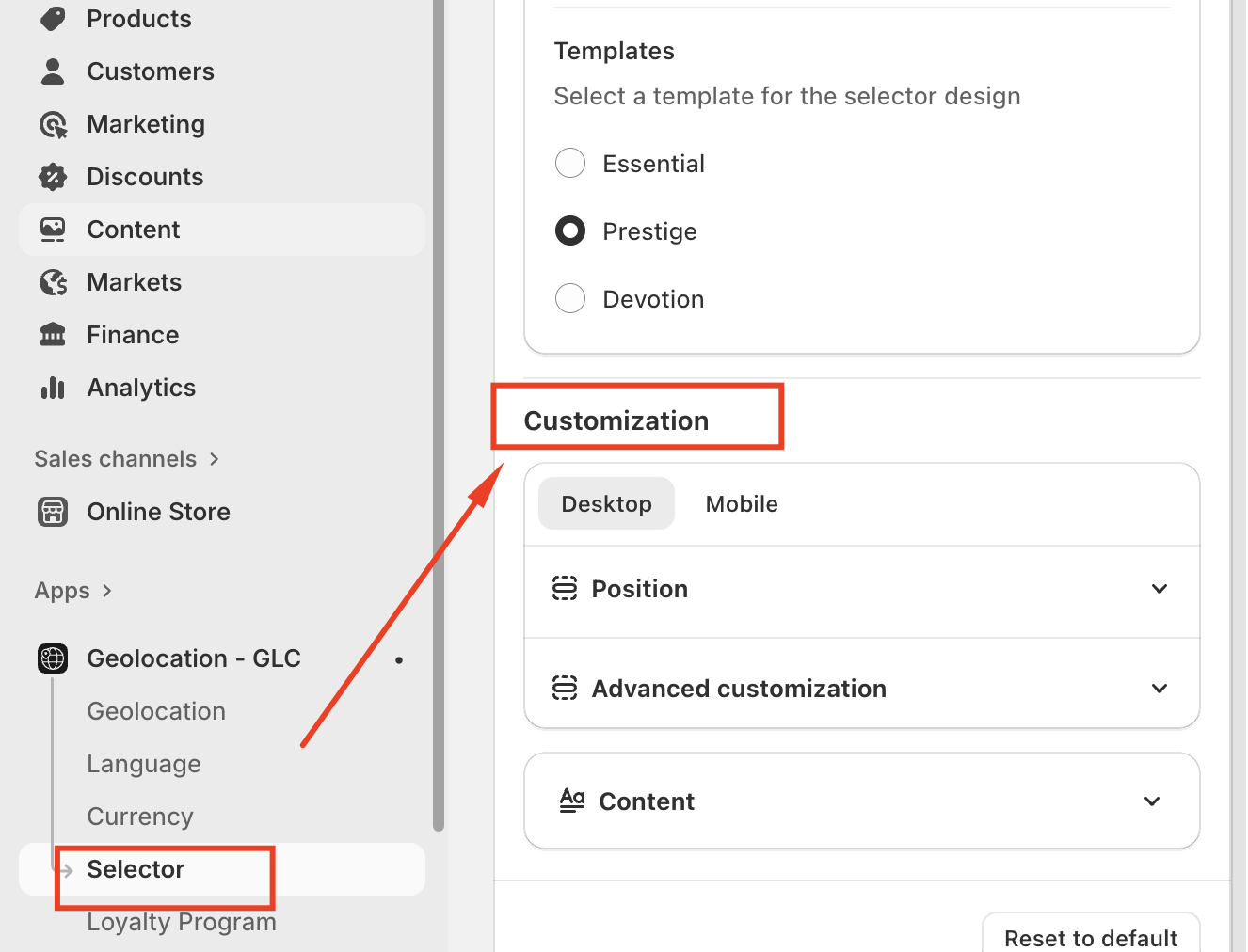
1. Position
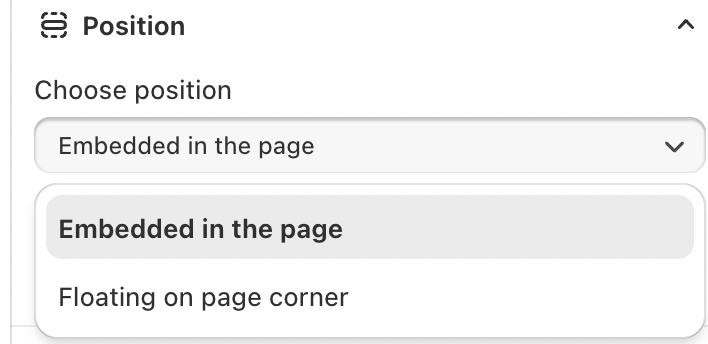
Choose Position
We offer 2 convenient positions, each with additional settings to perfectly fit your store's layout:
- Floating on page corner: Creates a sleek, non-intrusive selector that follows visitors as they browse
- Embedded in the page: Integrates seamlessly with your theme's design elements (If your theme doesn't support embedding)
Placement Options
Available Placement Choices
In the menu – Displays the selector inside the main navigation menu.
In the footer – Places the selector in the footer area of the storefront.
Both in the menu and footer – Shows the selector in both locations for increased accessibility.
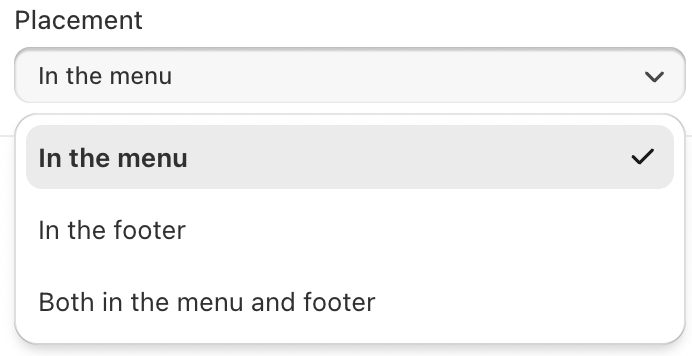
This flexibility allows you to align the selector placement with your theme structure and customer navigation behavior.
2. Advanced Customization
The Advanced Customization section lets you control how selector items look and how they match your storefront design.
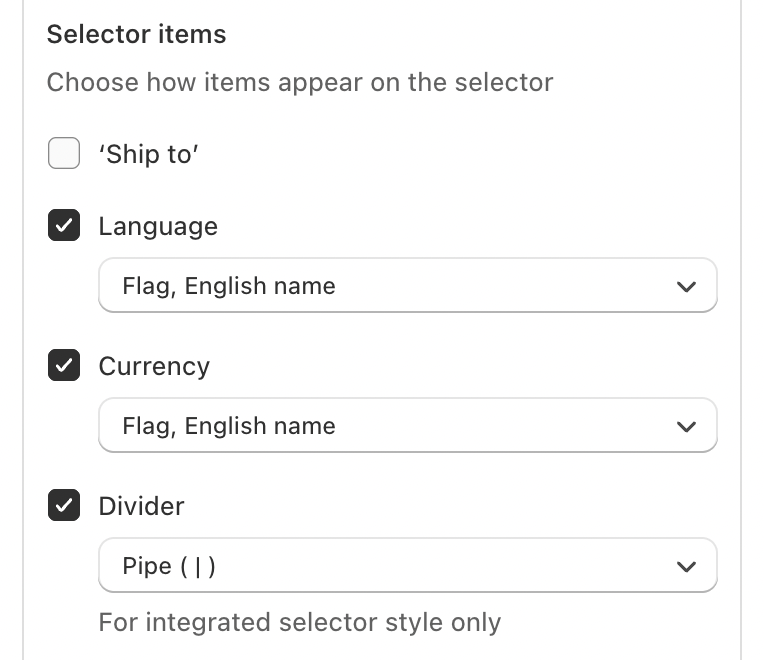
Selector Items
Choose which elements appear on the selector and how they are displayed:
Ship To – Show or hide the shipping destination.
Language – Display languages as a flag, English name, or both.
Currency – Display currencies using a flag, English name, or a combination.
Divider – Select how items are separated (for example, a pipe
|).
Available for Integrated selector style only.
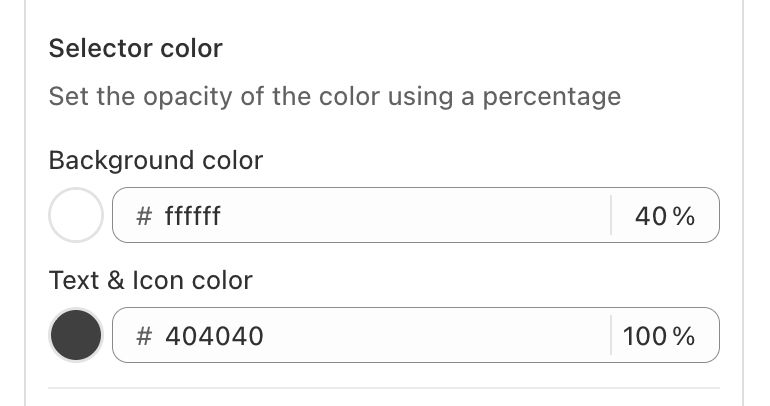
Color Settings
Background color – Set a custom color and adjust its opacity for a subtle or solid look.
Text & Icon color – Customize text and icon colors to ensure readability and brand consistency.
Disclosure Display
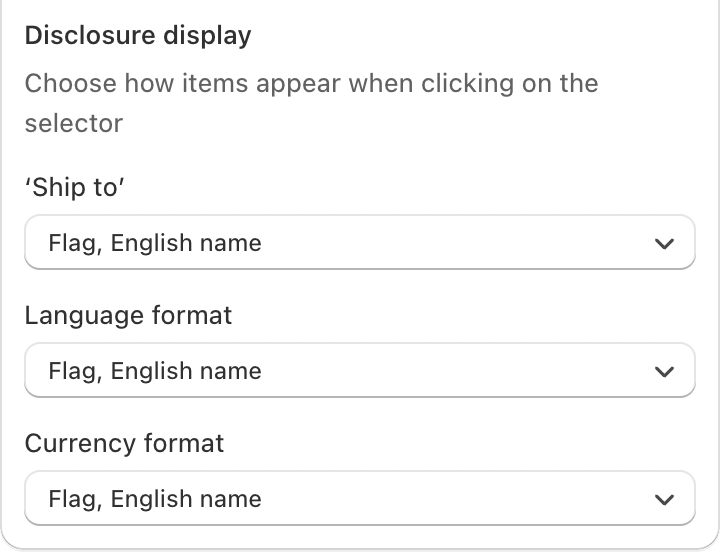
The Disclosure Display section lets you choose how items appear when users click on the selector.
Ship to
Select how destination countries are displayed. Options such as Flag, English name help users easily identify their shipping location.Language format
Choose how languages are shown in the selector. Displaying the flag with the English name improves recognition and usability.Currency format
Define how currencies appear to users. Using a flag and English name provides clarity and reduces selection errors.
These settings help create a consistent and user-friendly experience for international customers.
3. Content Settings
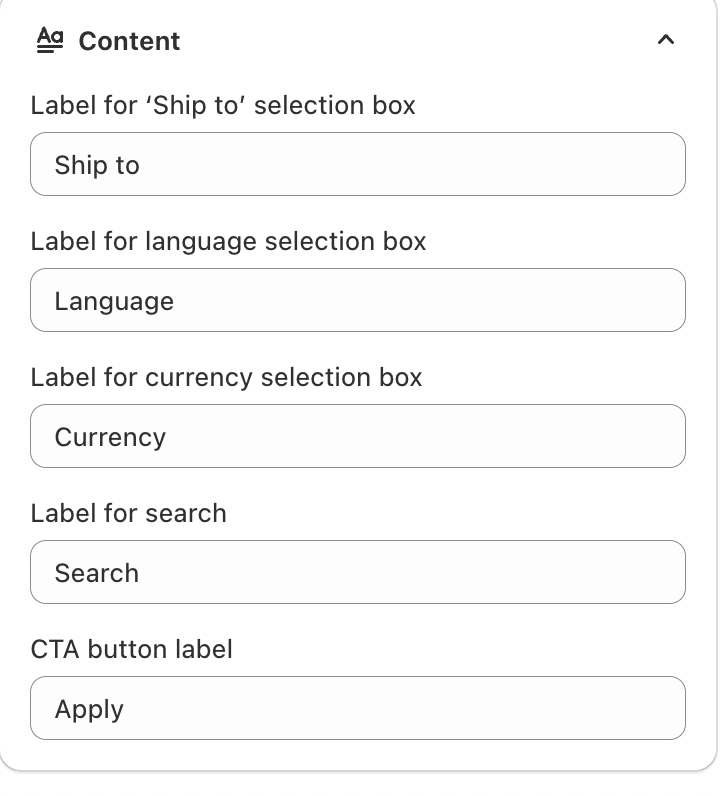
The Content section lets you customize the labels shown in the selector interface. These labels guide customers when choosing their shipping destination, language, and currency.
Label for “Ship to” selection box
Sets the text displayed above the shipping destination selector.Label for language selection box
Defines the label shown for choosing a preferred language.Label for currency selection box
Controls the text displayed for selecting a currency.Label for search
Specifies the text used in the search field to help users quickly find options.CTA button label
Sets the text for the action button that applies the selected preferences.
Updating these labels helps ensure clarity and consistency across your store.
If you need further guidance or have any questions, don't hesitate to reach out to our support team through email us at support@gelacy.app
Was this article helpful?
That’s Great!
Thank you for your feedback
Sorry! We couldn't be helpful
Thank you for your feedback
Feedback sent
We appreciate your effort and will try to fix the article