Ready to show your Gelacy language and currency selector to customers? This guide will walk you through enabling the App embed blocks in your Shopify theme so visitors can easily switch languages and currencies on your store.
Gelacy's selector works seamlessly with all modern Online Shopify themes. Following Shopify's guidelines, you'll need to activate the selector through your Theme Editor to make it visible on your storefront.
I. Understanding App Embed Blocks
App embed blocks are Shopify's way of letting apps add features directly to your theme. Think of them as building blocks that bring app functionality - like Gelacy's language and currency selector - right into your store design.
These blocks can include product reviews, pricing displays, ratings, or in Gelacy's case, your multilingual selector. You can easily manage them through Shopify's Theme Editor - adding, removing, or customizing as needed.
II. Quick Activation from GLC App
The fastest way to activate your selector:
→ "Selector settings" menu inside your Gelacy
→ Click the direct link provided - it takes you straight to the Theme Editor
→ The Gelacy App embed toggle is already enabled (Toggle on if it's off)
→ Hit Save to complete
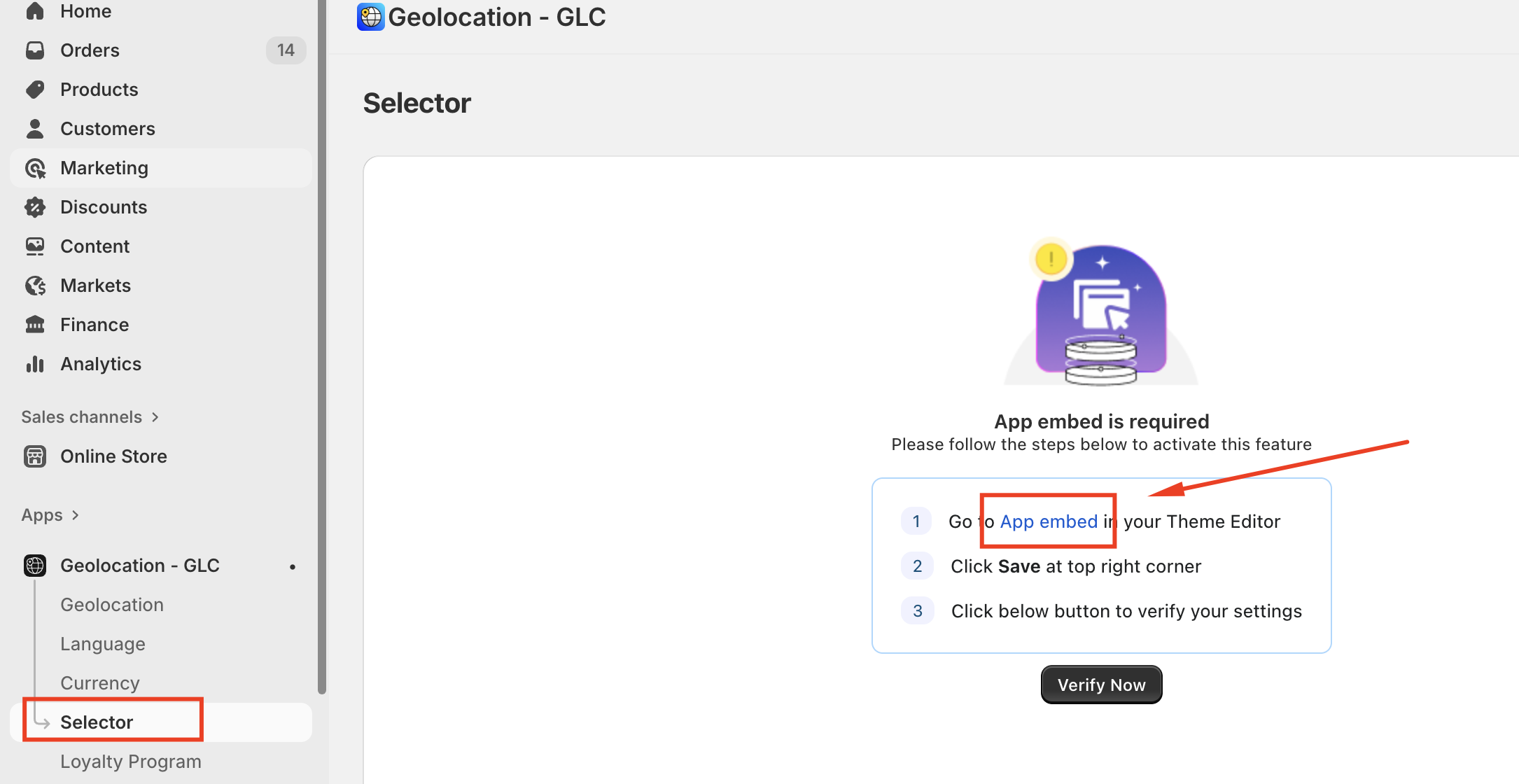
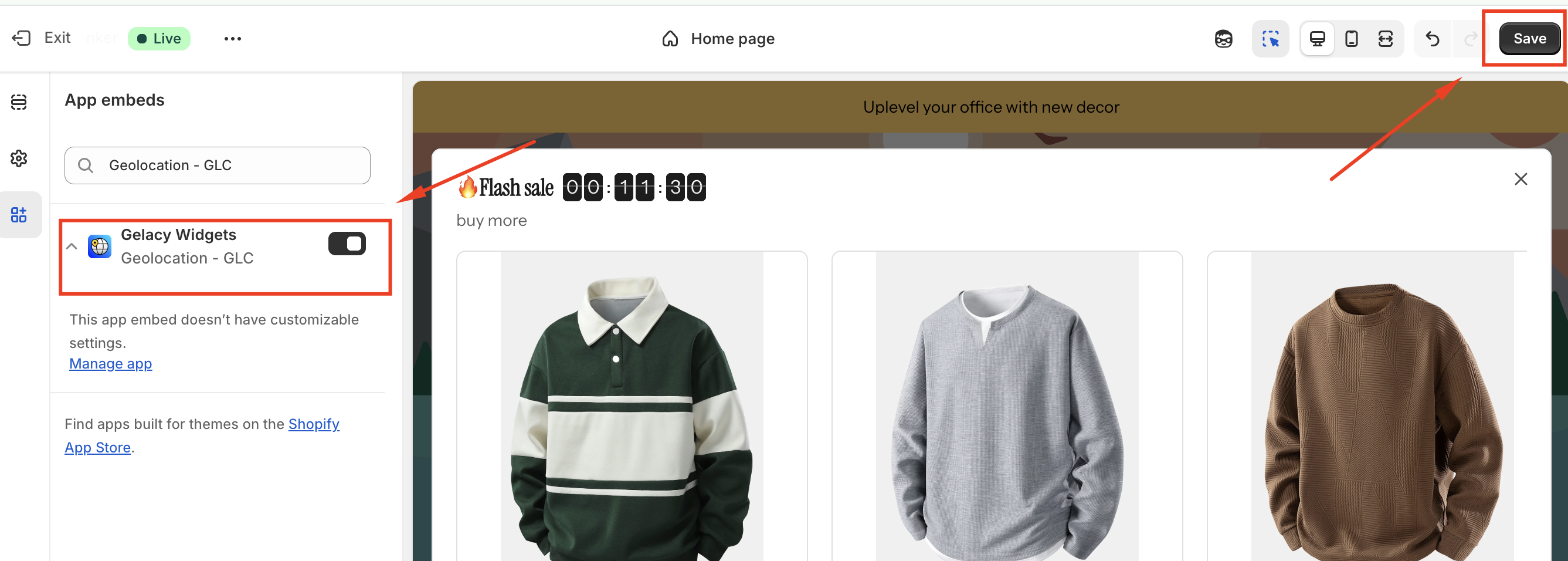
You must enable Gelacy in Shopify App Embeds to use the Gelacy and see the translations
III. Manual Activation Steps
- From your "Shopify admin", navigate to "Online Store" → "Themes"
- Find your active theme and click "Edit theme"
- Click the "App embeds" tab
- Toggle ON the "Gelacy" app embed
- Click Save
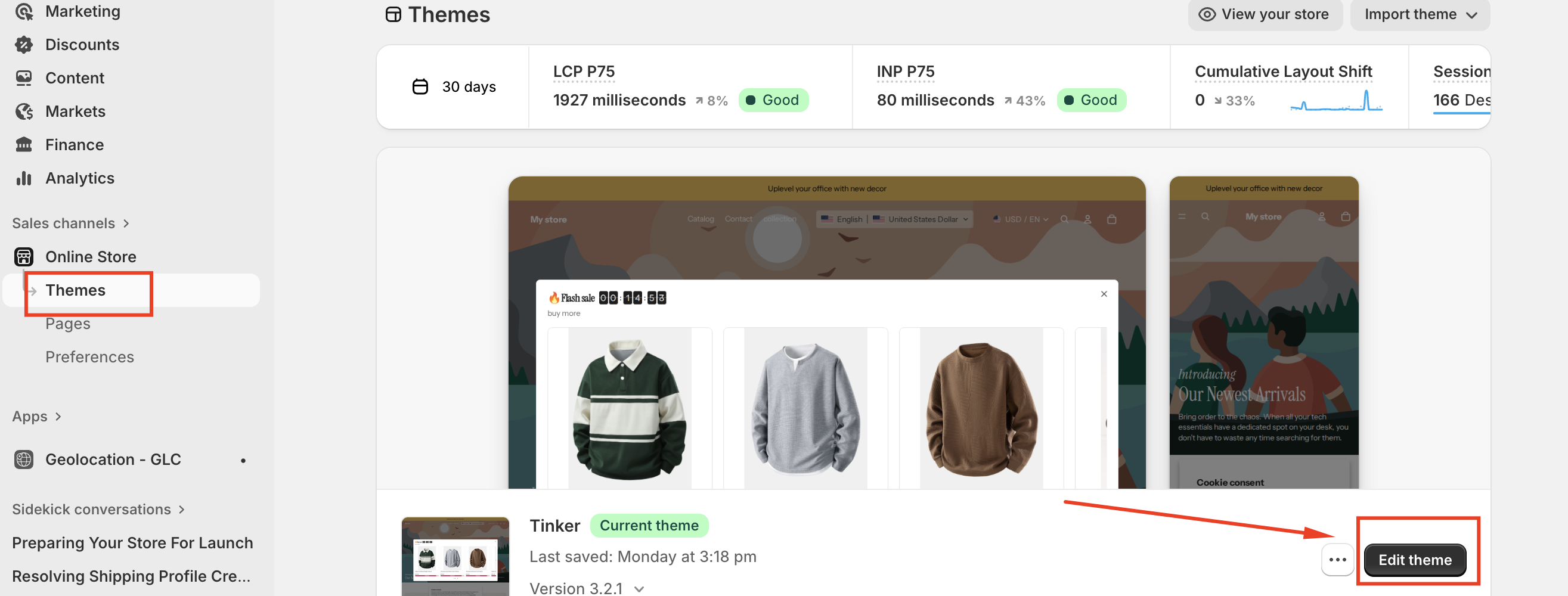
Important: After activation, double-check your selector visibility settings in the Gelacy app.
To deactivate the selector, simply follow the same steps and toggle OFF, then click Save.
For advanced selector customization, return to your Gelacy app's Selector settings. Learn more about selector setup here.
Gelacy only works with published themes; it won't function with draft themes. Please consider publishing your theme to make it work
If you need further guidance or have any questions, don't hesitate to reach out to our support team through email us at support@gelacy.app
Was this article helpful?
That’s Great!
Thank you for your feedback
Sorry! We couldn't be helpful
Thank you for your feedback
Feedback sent
We appreciate your effort and will try to fix the article