Basically, Geolocation-GLC will rely on the default store content to translate into other target languages, so the translated text will be reflected on the same font and format of the default store content.
We do not support changing font and color format of translation texts. Hopefully you understand.
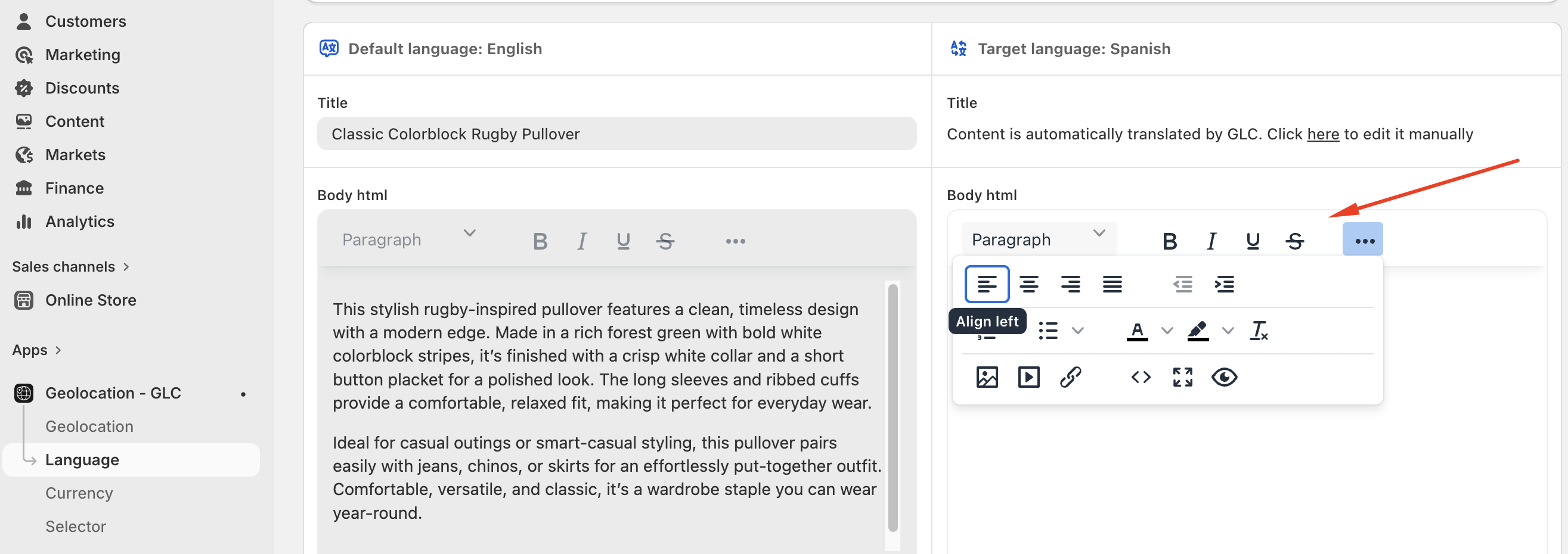
However, you can customize other formattings for target translation like Bold, Underline, Insert images, or adjust alignment you can find options here.
If you need further guidance or have any questions, don't hesitate to reach out to our support team through email us at support@gelacy.app
Was this article helpful?
That’s Great!
Thank you for your feedback
Sorry! We couldn't be helpful
Thank you for your feedback
Feedback sent
We appreciate your effort and will try to fix the article