Steps to Hide Language from the Selector
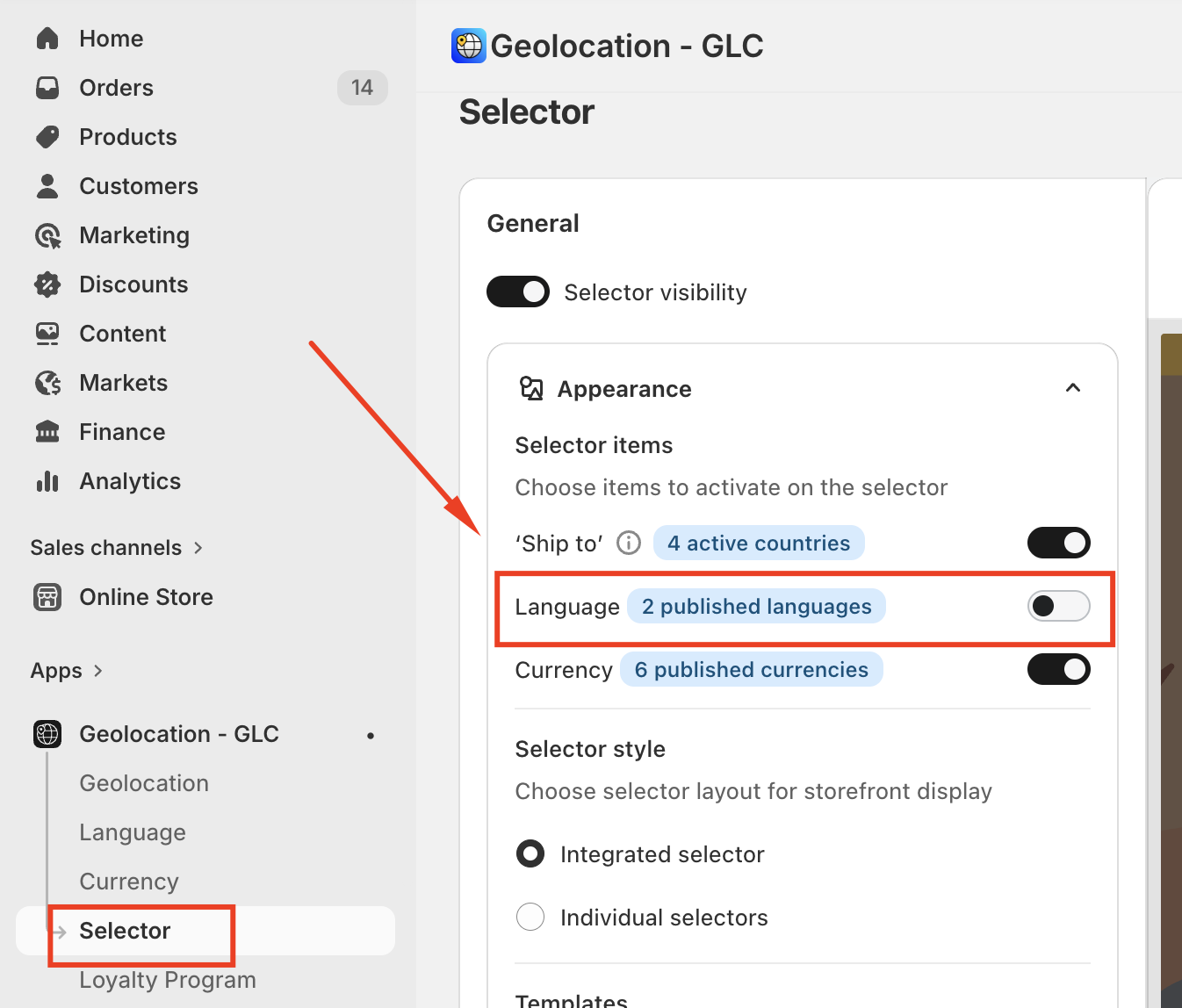
Go to Selector from the navigation menu
Turn OFF the Language toggle
Click Save to apply the changes
If you have questions or need help setting up, feel free to contact our support team at support@gelacy.app
Was this article helpful?
That’s Great!
Thank you for your feedback
Sorry! We couldn't be helpful
Thank you for your feedback
Feedback sent
We appreciate your effort and will try to fix the article