Step 1: Check the Currency Code in Shopify Settings
First, please make sure the currency code is set up correctly in your Shopify admin.
To set up or verify the currency code:
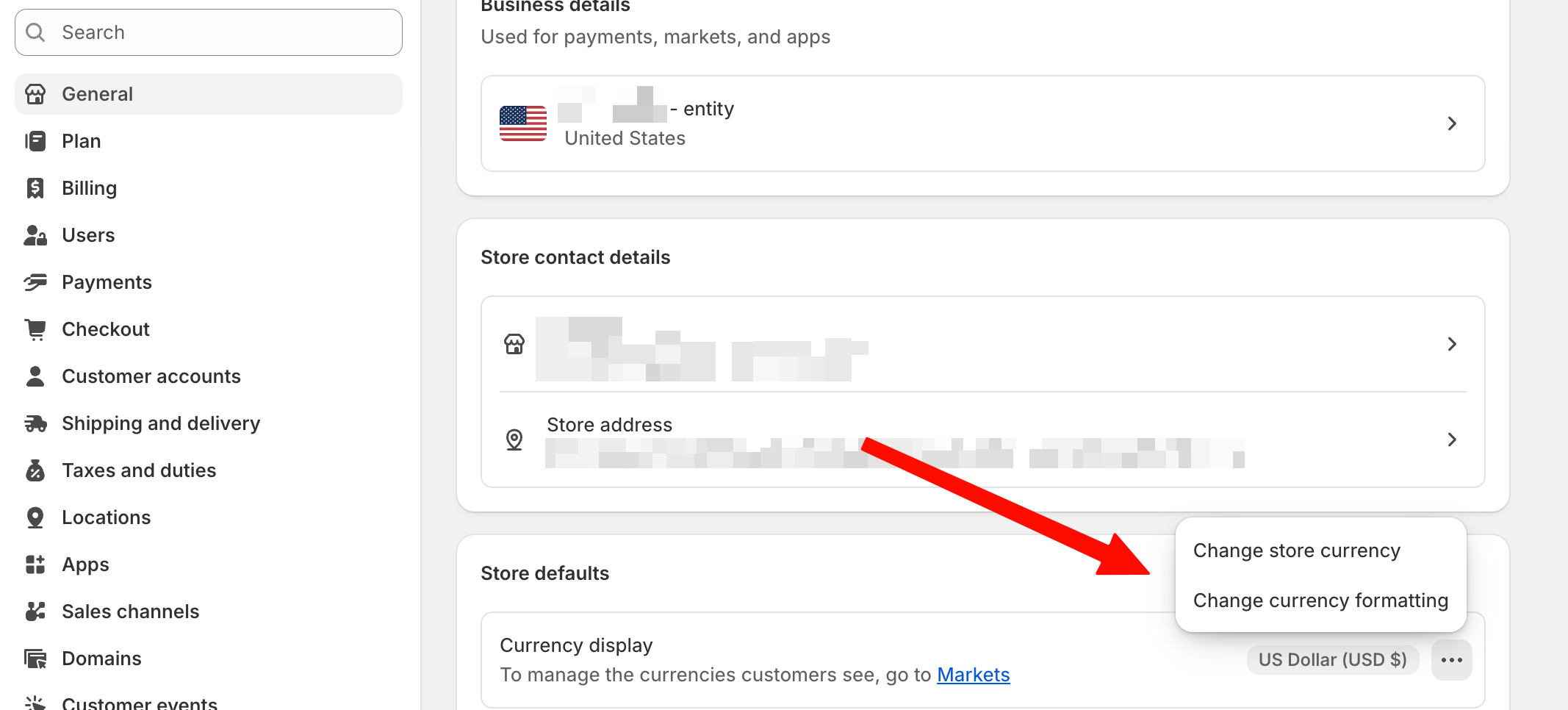
Go to Settings → General
Click the three dots (⋯) next to your store details
Select Change currency formatting
Review and update the currency code as needed
For more details can be found here
Step 2: Verify That App Embeds Are Enabled
One of the most common reasons the currency selector doesn’t work is that the required app embeds are disabled in your theme settings.
To enable the app embed:
- Navigate to your Shopify admin panel.
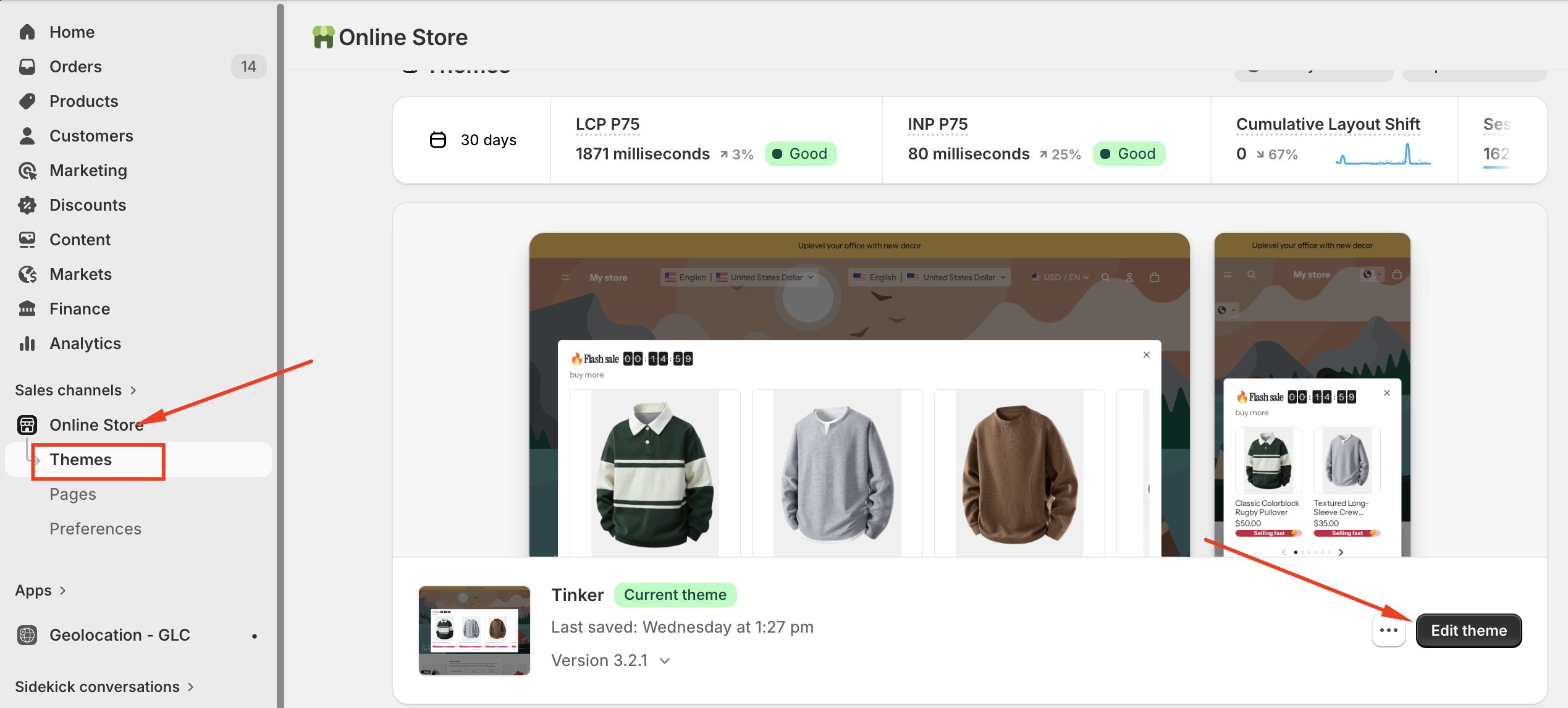
- Go to "Online Store" → "Edit Theme."
- Click "Customize" on your active theme.
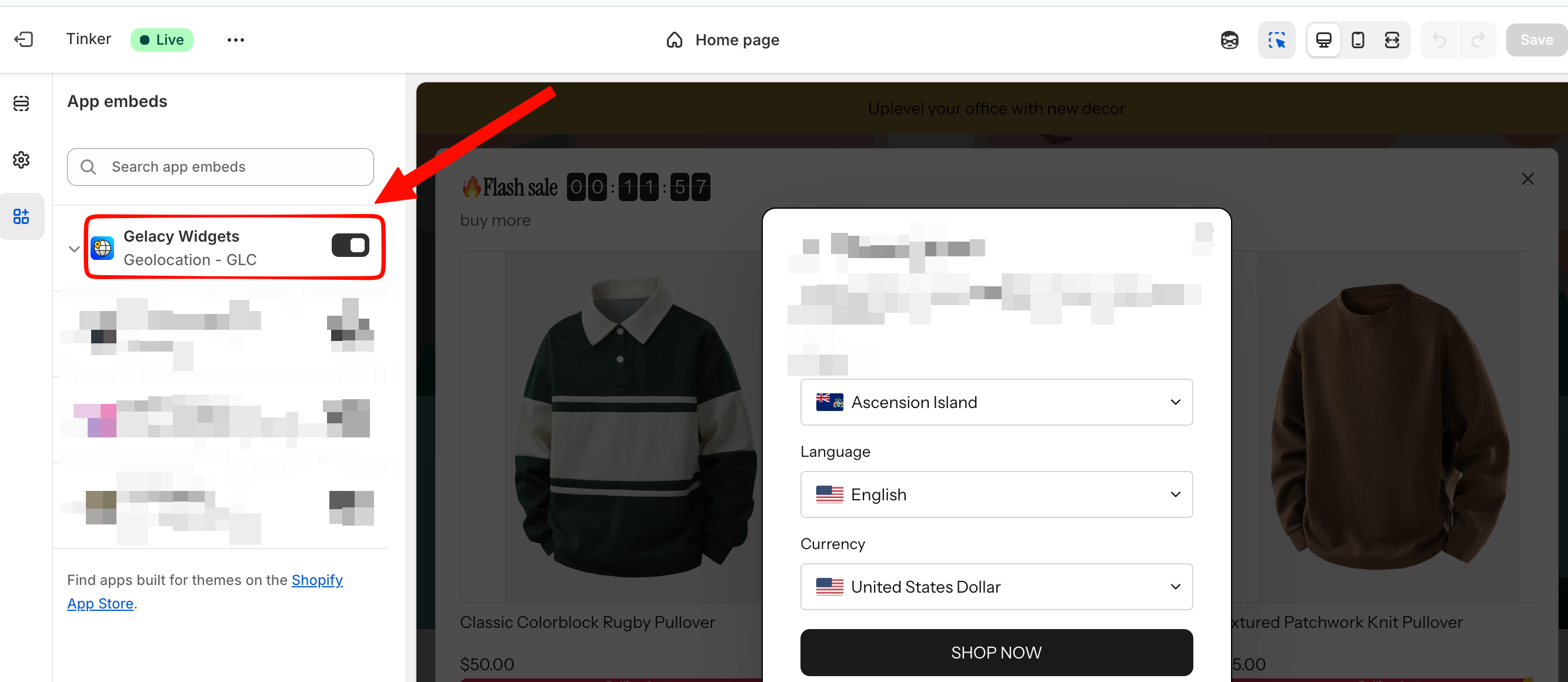
- In the theme editor, look for "App embeds" or a similar section (the exact name may vary depending on your theme).
- Ensure that the Gelacy app embed is enabled (the toggle switch should be turned on).
- Save your changes
If you have questions or need help setting up, feel free to contact our support team at support@gelacy.app
Was this article helpful?
That’s Great!
Thank you for your feedback
Sorry! We couldn't be helpful
Thank you for your feedback
Feedback sent
We appreciate your effort and will try to fix the article