Sometimes you need to clean up your currency options or adjust which currencies appear in specific markets. Gelacy offers two different ways to remove currencies, each serving a unique purpose for your global store management.
Remove Currency from Your Entire Store
Steps to follow:
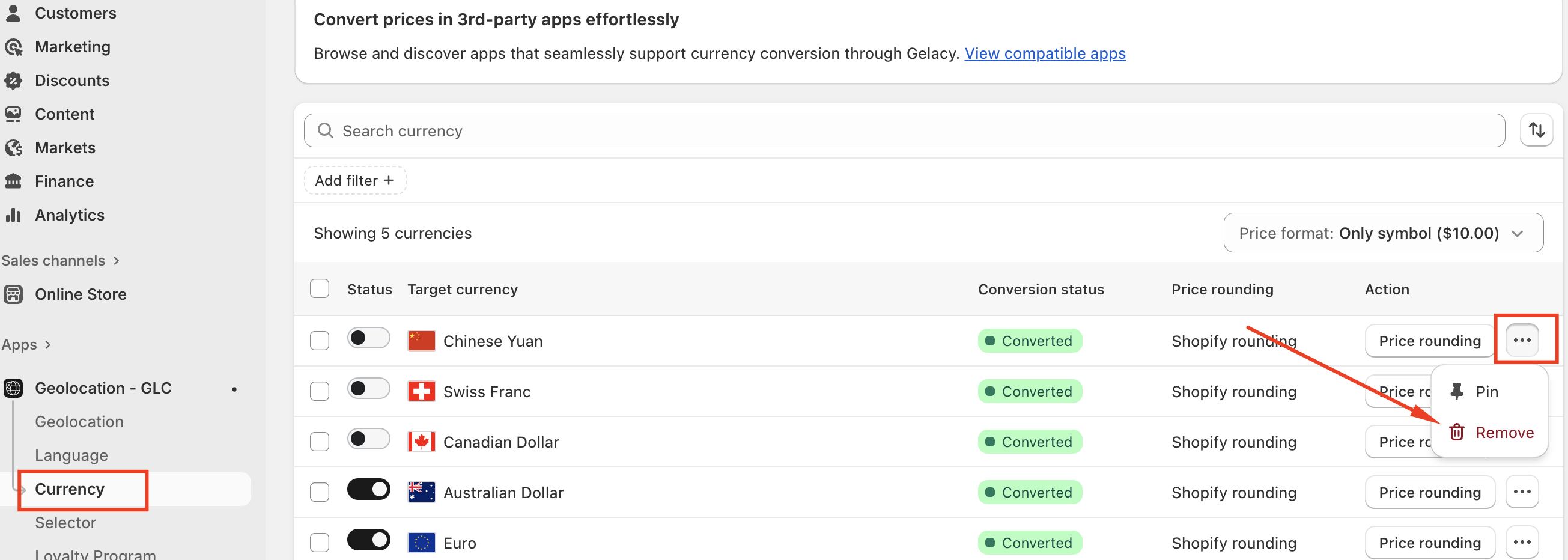
- Navigate to "Curreny" menu in Gelacy
- Find the target currency you want to remove
- Select the currency to delete it
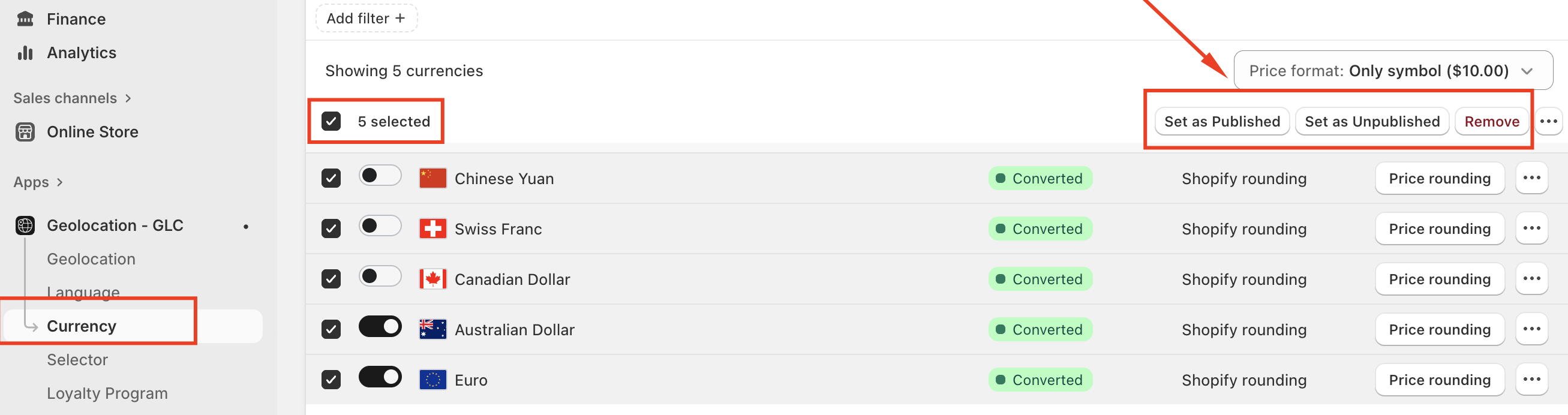
In case you want to Unpublish or Remove all target currencies in one click, kindly follow these steps:
- Go to "Currency" menu →tick all the currencies -> Click "Set as Unpublished" or "Remove currencies" -> Click "Confirm" to remove or unpublish succesfully
If you have questions or need help setting up, feel free to contact our support team at support@gelacy.app
Was this article helpful?
That’s Great!
Thank you for your feedback
Sorry! We couldn't be helpful
Thank you for your feedback
Feedback sent
We appreciate your effort and will try to fix the article